Quoting software that gets the quote out before you leave site
The fastest quote usually wins the job. TradieTally lets you build a priced, branded quote on your phone while you are still standing in the customer’s driveway.
- 21-day free trial
- No credit card required
- Cancel anytime
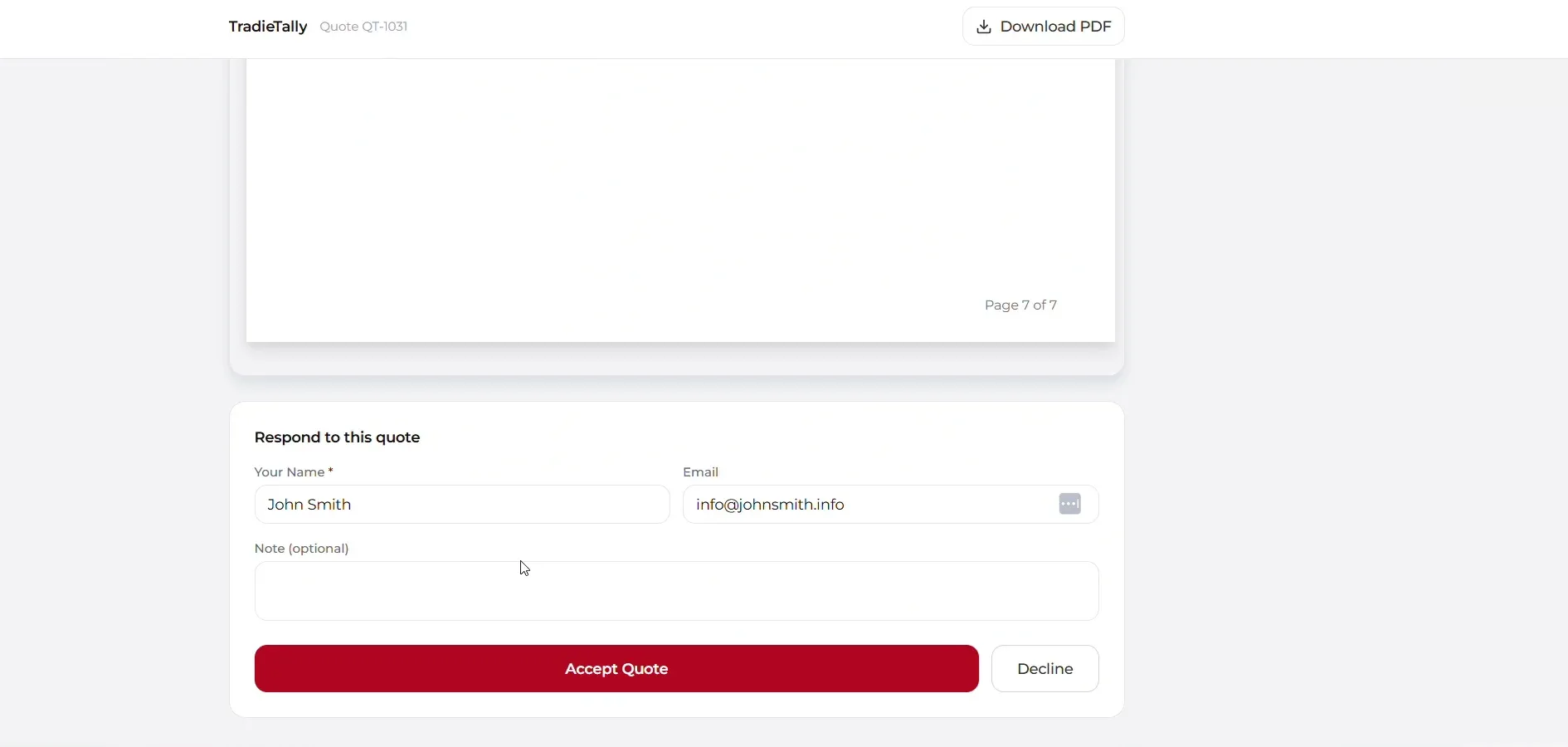
TradieTally is quoting software built for sparkies and other trades, including security technicians and air conditioning businesses across Australia. It builds GST-inclusive quotes from Smart Bundles and your real costs, then sends them by email or public link. Accepted quotes convert to a job or invoice in one click.
Why does quote speed matter so much for tradies?
Customers often get two or three quotes and go with whoever is organised. As TradieTally founder Jayson Conceicao puts it: "I didn’t lose jobs because my work wasn’t good enough. I lost them because my quote turned up three days after someone else’s."
TradieTally is built so the quote can go out the same day, ideally before you get back in the ute.
How do I quote a job on site with Smart Bundles?
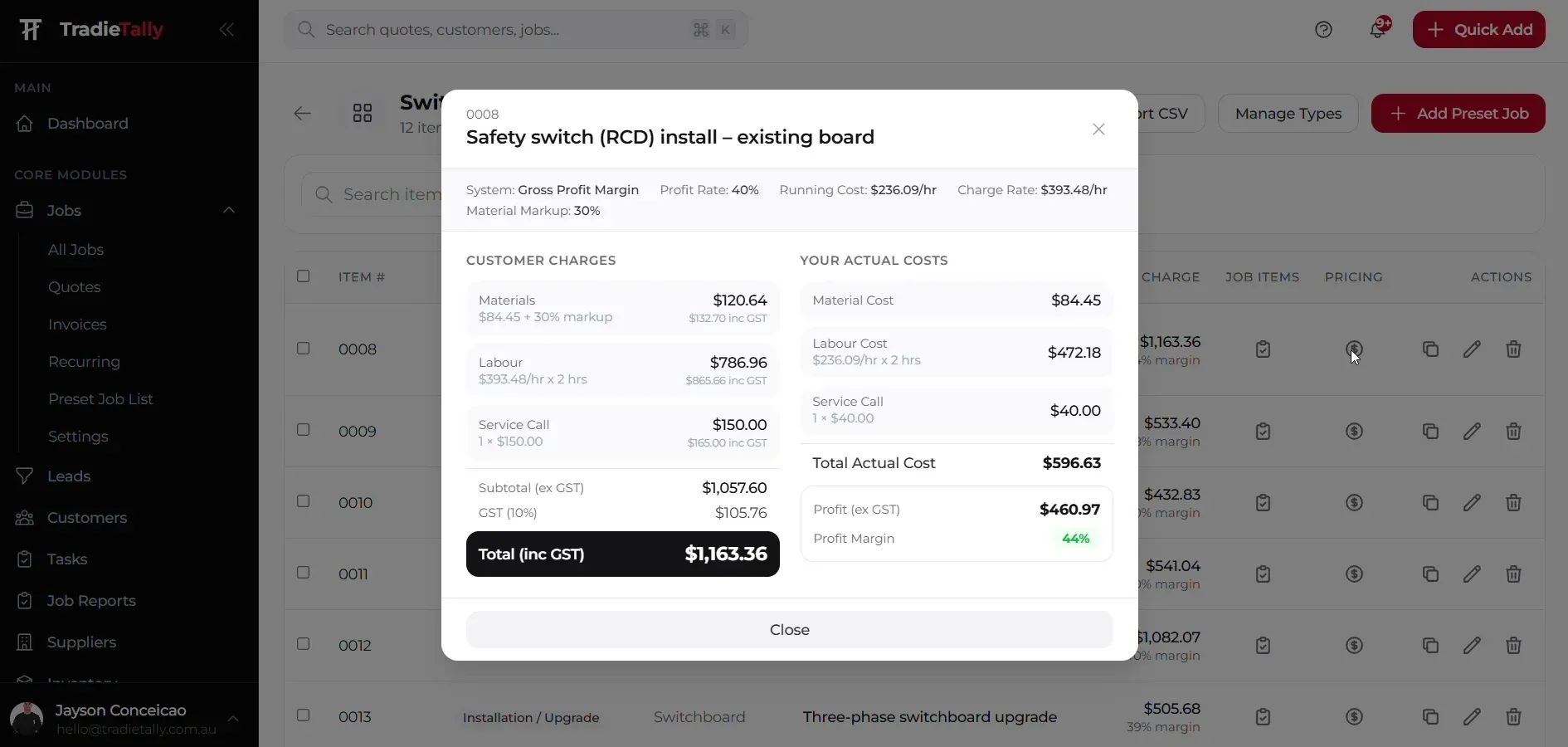
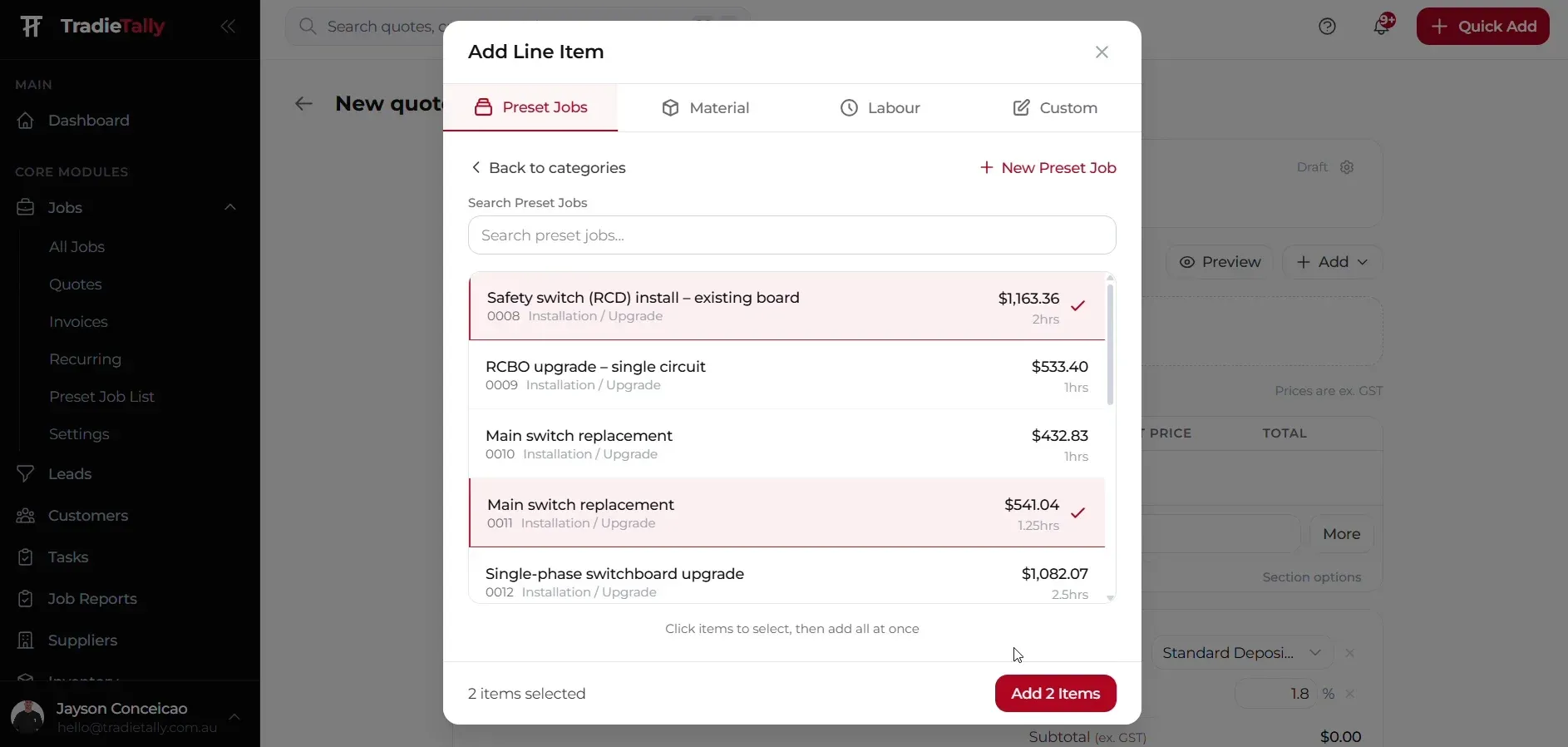
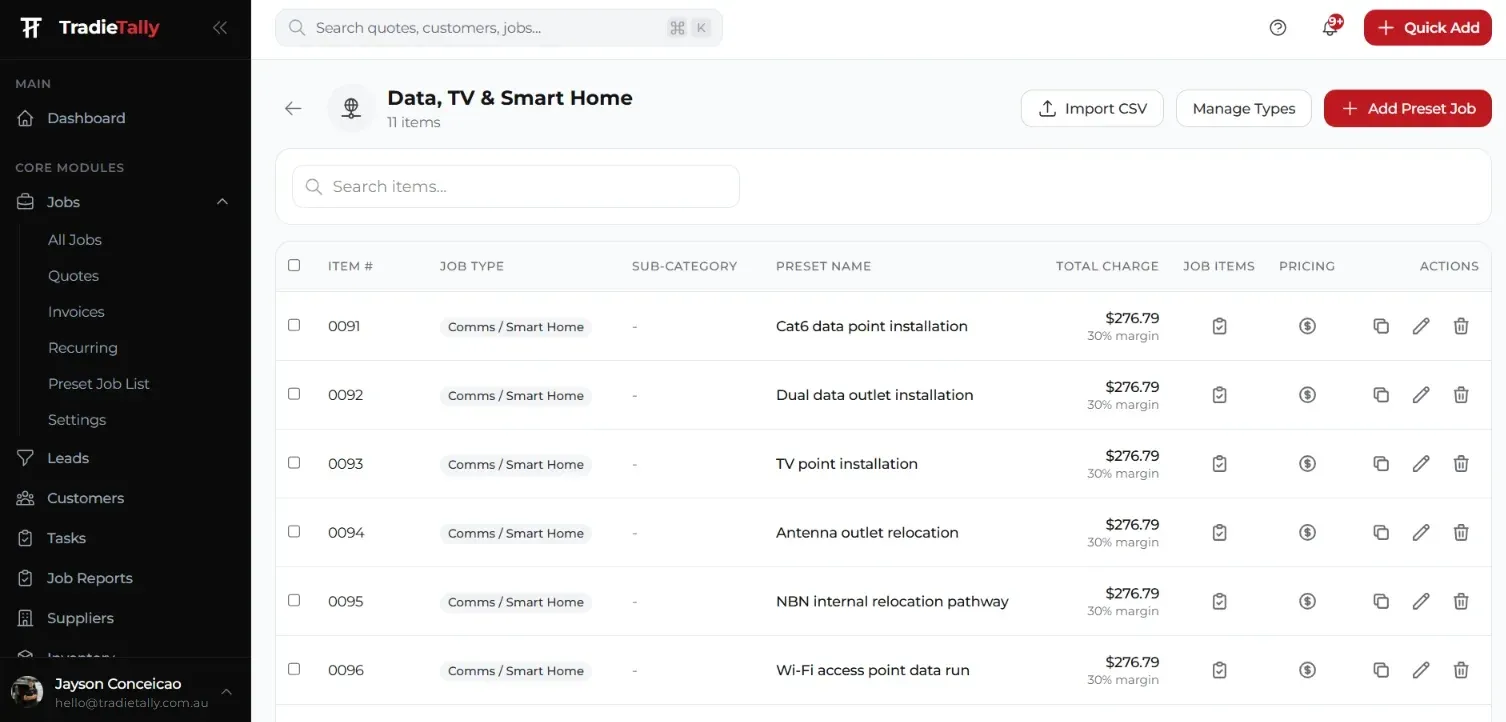
Smart Bundles are pre-built packages for the jobs you quote every week. Pick one on site, adjust the quantities to suit, and the labour, materials and pricing are already filled in. If it is a job you will quote again, you can save it as a new bundle on the spot.
Here is what that looks like for each trade:
- Electricians: an extra double power point or a smoke alarm upgrade, priced and ready to send in seconds
- Security technicians: an alarm install or a new intercom, quoted before you leave the site
- Air conditioning: a standard split system install, with the labour and materials already in
Watch a sparky quote on site with Smart Bundles to see how fast it is.
What does a TradieTally quote look like to the customer?
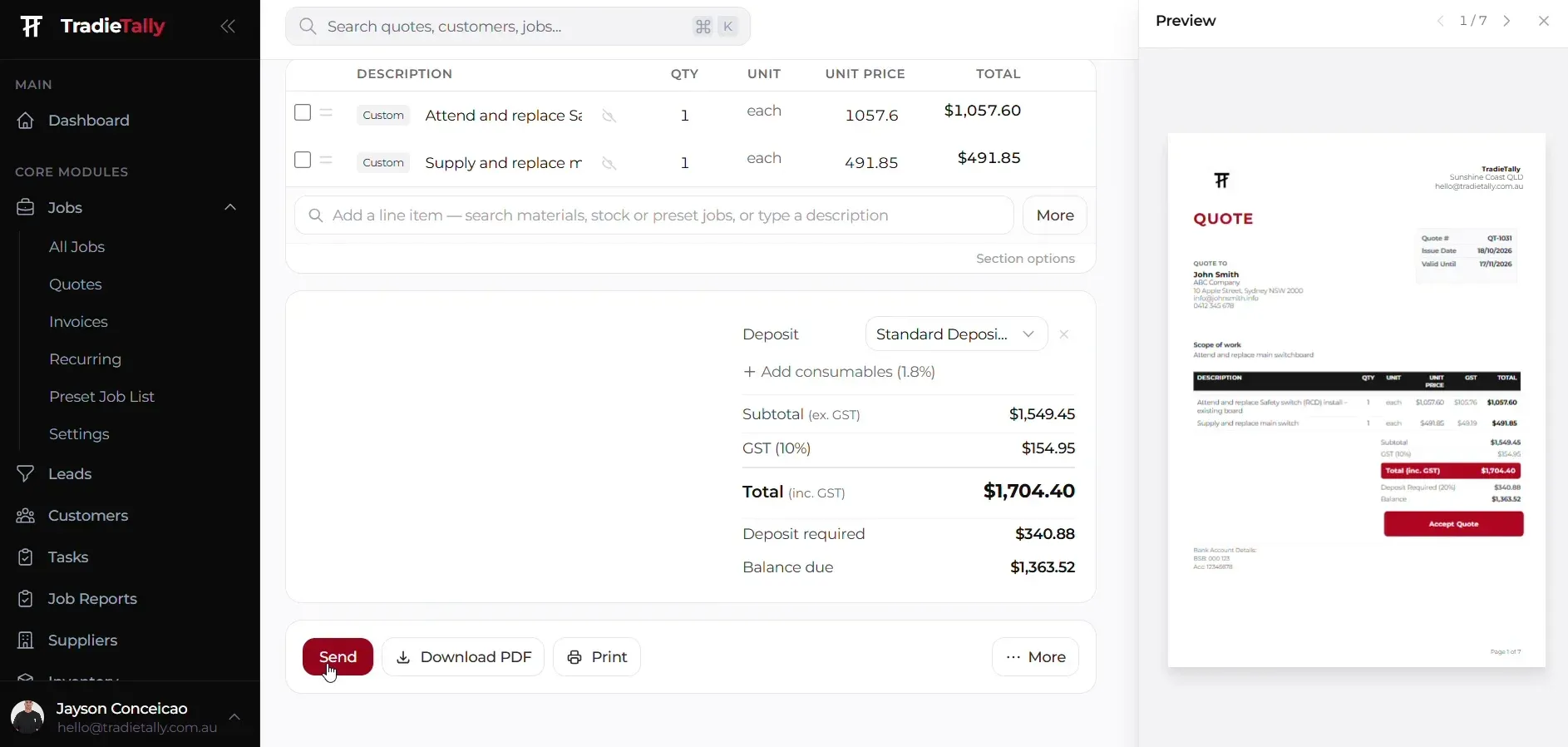
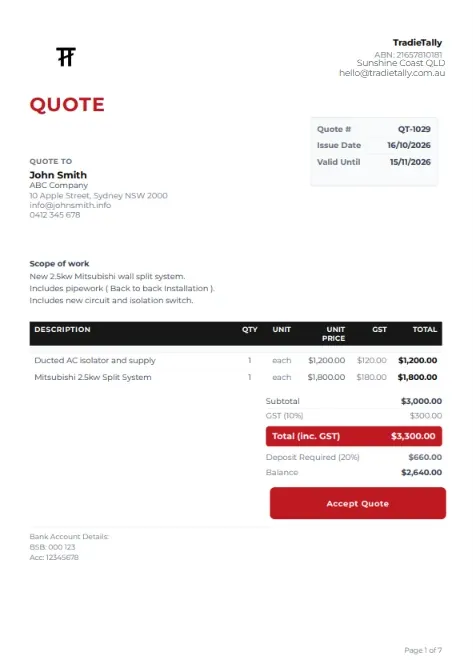
Quotes use your branding through a drag-and-drop PDF template designer, so you control the layout, logo and terms. Pricing is GST-inclusive for Australian customers, with material, labour and custom line items.
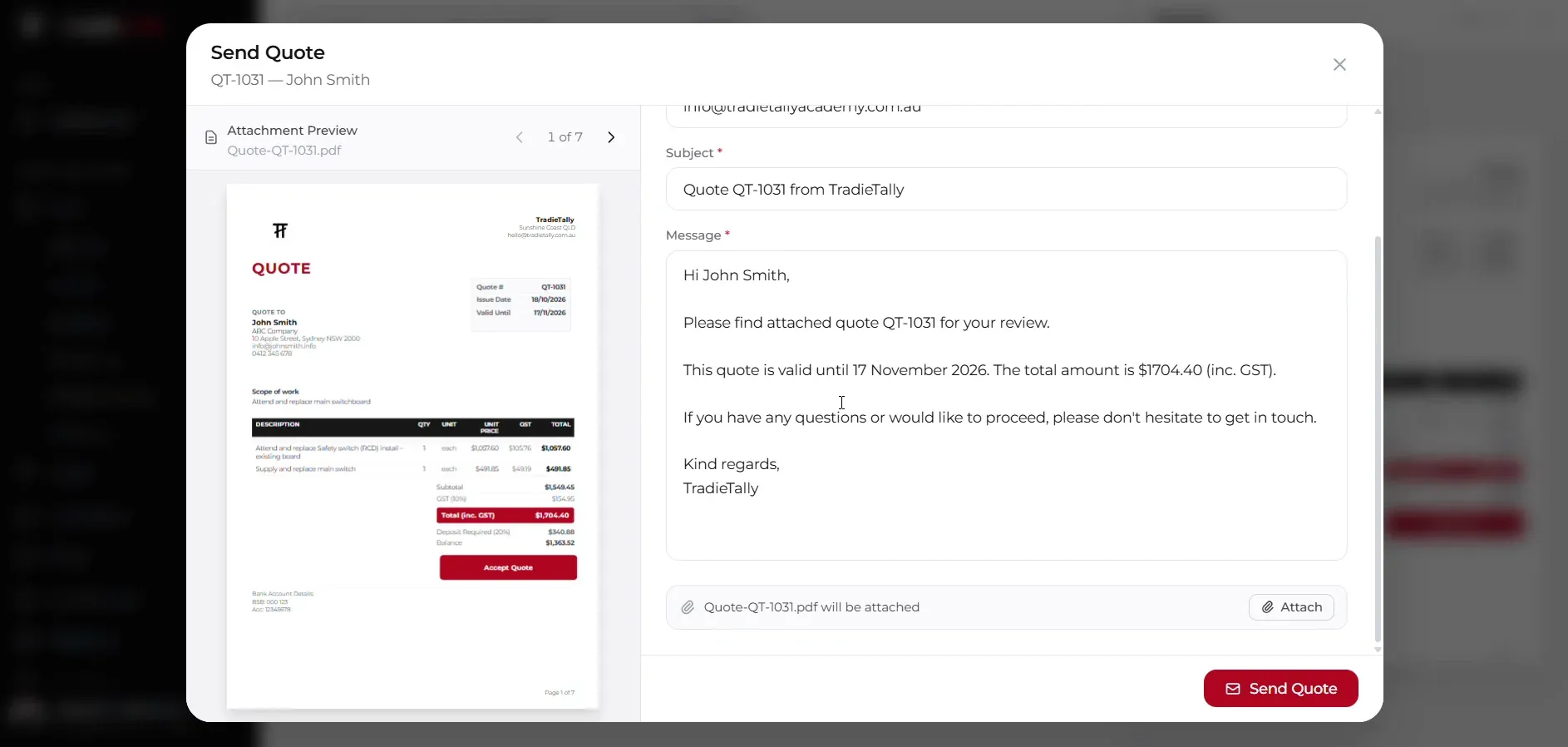
You can email the quote with the PDF attached through Gmail or any SMTP provider, or send a public quote link the customer opens on their phone.
- Drag-and-drop PDF template designer
- Your logo, branding and custom numbering
- Email sending via Gmail or SMTP
- Public quote link for customers
What happens when the customer wants changes?
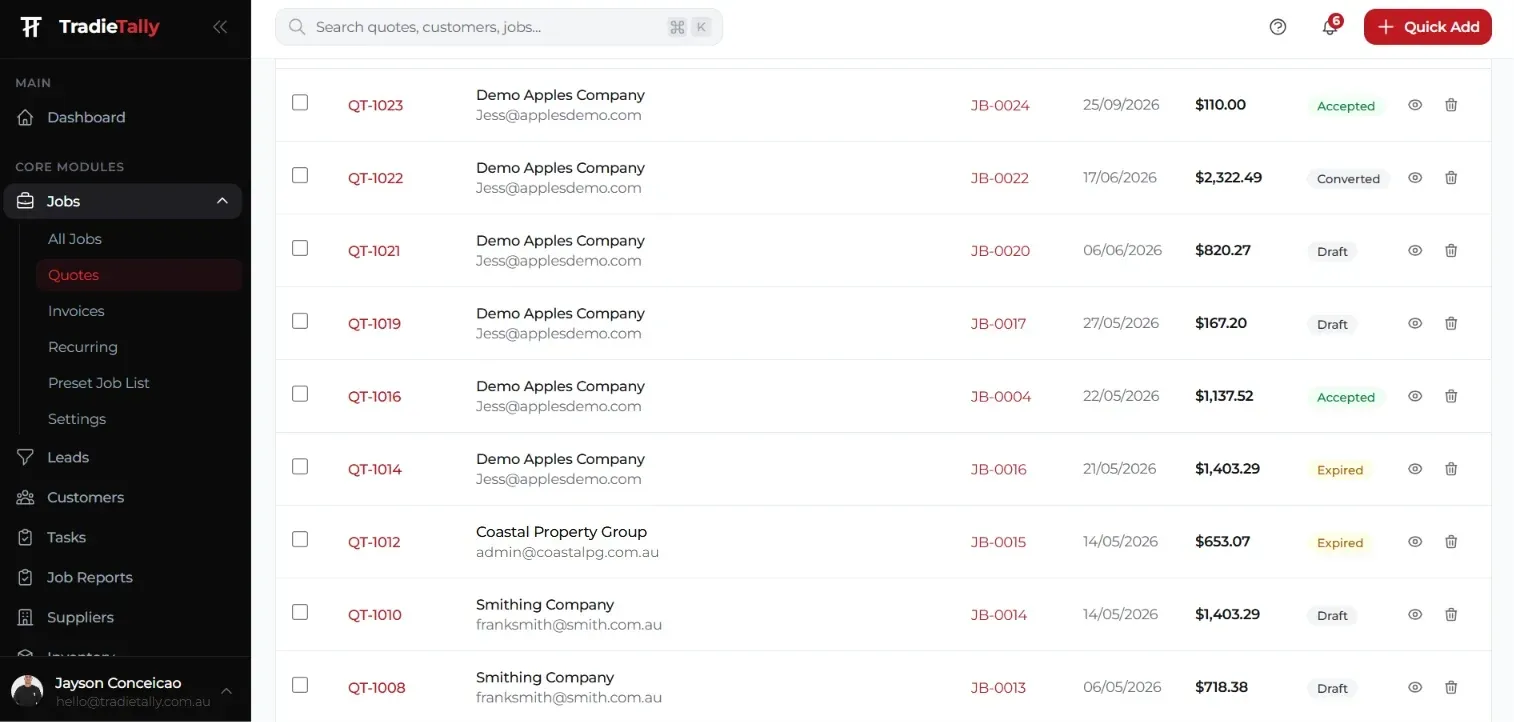
Quote versioning keeps each revision. If a customer asks to drop two cameras from a CCTV quote or swap a back-to-back for a longer pipe run, you create a new version rather than overwriting the original, so you can always see what was sent and when.
For detail on pricing those jobs, see our guides on how to quote a CCTV installation and how to quote a split system installation.
What happens after a quote is accepted?
When the customer accepts, one click turns the quote into a job. Nothing is re-typed, and the costs you estimated become the job budget in job management.
When the job is completed, simply press a button and it converts to an invoice, ready to send with a Pay Now link. For small jobs that do not need booking in, you can also turn the quote straight into an invoice.
Because every quote is built on your estimating numbers, you see the profit and margin before sending, not after the job is done.
Quoting for your trade
Electrical estimating software
Switchboard upgrades, rewires, EV chargers and fit-outs priced from your real labour and material costs.
- LED downlight changeover
- Switchboard upgrade
- Double GPO add
Security installer quoting software
Quote CCTV, alarms, intercoms and access control on site, then manage installs and service visits.
- 4-camera CCTV install
- Alarm install
- Intercom install
Air conditioning quoting software
Split, ducted and multi-head installs plus service agreements, with true profit on every job.
- Split system back-to-back install
- Split system standard install
- Ducted zone add
Quoting FAQs
Can I design my own quote template in TradieTally?
Yes. The drag-and-drop PDF template designer lets you set your layout, logo, colours and terms. Every quote you send then uses that template.
Does TradieTally keep old versions of a quote?
Yes. Quote versioning saves each revision, so you can change scope or pricing without losing what was originally sent. That helps when a customer asks why the price changed.
Can customers view a quote without downloading a PDF?
Yes. Each quote has a public link the customer can open in their browser. You can also email the quote with a PDF attached.
Can I turn a quote straight into an invoice for a small job?
Yes. Accepted quotes convert to a job or an invoice in one click. For a quick job like a single smoke alarm swap, going straight to invoice saves a step.
Stop quoting at the kitchen table.
Price every job from your real costs, see the profit before you hit send, and run the whole job from one app. Built by a sparky for electricians, security techs and A/C contractors.